What's New: Detailed Results, Faster Searches
Five improvements to help you understand each trial and get to a usable result sooner.
Trial Detail Pages
Click any trial in your results and you'll land on a dedicated page that shows which eligibility criteria you meet, which still need confirmation with your doctor, and what published evidence the drugs in the trial have.
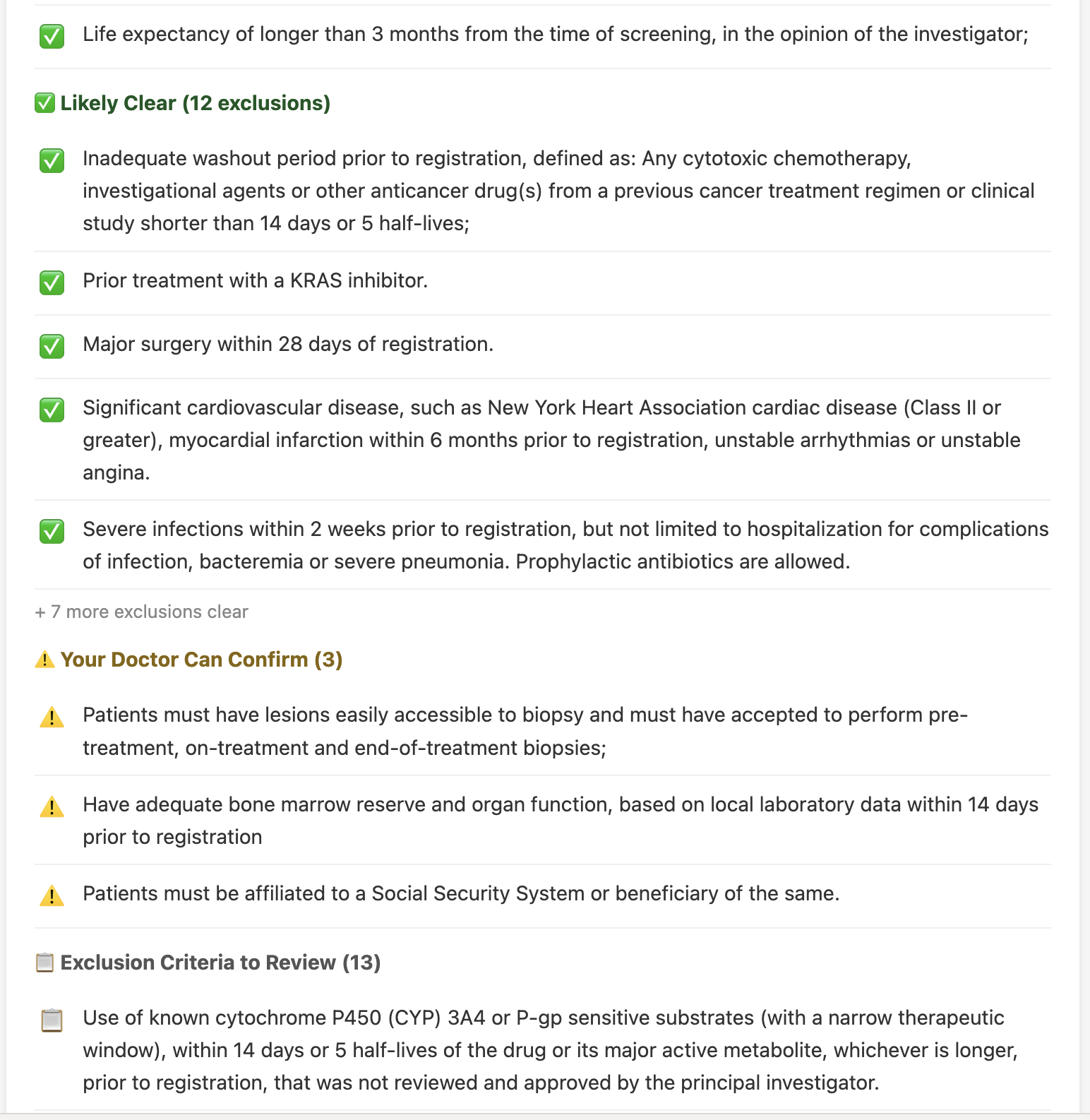
No more digging through ClinicalTrials.gov dense text to figure out if a trial is realistic for you. The breakdown separates clear matches from things flagged as "your doctor can confirm," so you can walk into your next appointment with a focused list of questions.
Confidence Tiers and Surfacing Reasons
Each result now carries a confidence label and an evidence level, plus a list of the specific reasons it was surfaced — biomarker overlap, prior treatment history, drug mechanism, or class-level evidence. Risk flags call out concerns to discuss with your oncologist.
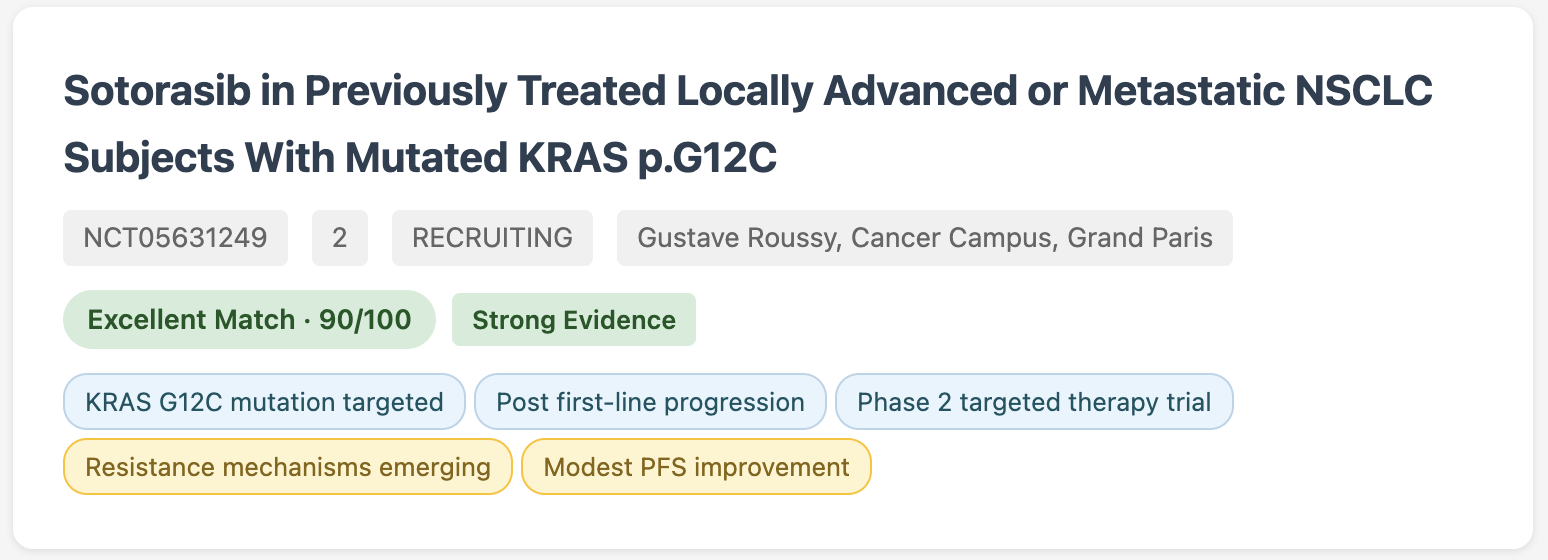
You see not just what matched, but why. That makes it easier to triage a long list and to explain the rationale to a doctor or family member.
Faster Searches
Two changes to speed up the search pipeline:
Instant pre-filtering by age and stage. Before each search runs its slow per-trial analysis, two fast filters — age and cancer stage — now drop obviously incompatible trials (a pediatric trial for an adult patient, an early-stage trial when you have metastatic disease) so the analysis runs on a smaller set. Trials that pass the fast filter still get the full eligibility check, so nothing realistic gets dropped.
Pipeline-level speedups. A separate set of changes — capping how many drug aliases are looked up per trial, persistent caching of completed extractions, and batch title screening — cut a typical NPC search from 23 minutes to 13 minutes (42% faster). Speed varies by cancer type and how many candidate trials your case generates; complex searches can still take longer.
Wider Coverage via Cancer-Name Synonyms
Many cancers go by multiple names — "cholangiocarcinoma" vs. "bile duct cancer", "NPC" vs. "nasopharyngeal carcinoma", "GBM" vs. "glioblastoma multiforme". Trials don't always use the same label as the one you typed.
The search now expands your cancer name into its known synonyms before retrieving trials, so you catch listings that use a different label. The largest single jump we measured: cholangiocarcinoma went from 3 results to 76 after synonym expansion.
Smoother Wizard
Several improvements to the questionnaire itself:
- Primary tumor status — the wizard now asks whether your primary tumor was removed, is still present, or has recurred. Some trials (re-radiation, certain locoregional approaches, salvage surgery) need a measurable tumor at the primary site; others are designed for patients after resection. This question routes you to the right ones.
- Treatments shown as a grouped flat list — sections by class (immunotherapy, chemo, targeted, etc.), combination regimens listed alongside single agents, "Show more" per group, and an "Other (please specify)" field for anything not on the list.
- Instant disease-data loading — staging, biomarker, and treatment options for your cancer now load instantly from a 60-day cache instead of waiting on a fresh fetch each time.
- Specify biomarker level, not just yes/no — for PD-L1, HER2 and similar markers, you can now enter the specific range or score (e.g., PD-L1 1–49%, HER2 1+/2+/3+) instead of just "positive" or "negative."
- Pick multiple countries at once — search across several countries in one go (or use region shortcuts: Europe, North America, Asia Pacific) instead of being limited to one.
- Comorbidities are optional — skip the section if it doesn't apply to you.
- Tighter layout on small screens — added a narrow-screen breakpoint (480px) with smaller text, compact wizard options, wrapping badges, and full-width action buttons.
Try It
Questions or feedback? Contact us